For the kitchen
No more lost or misread orders
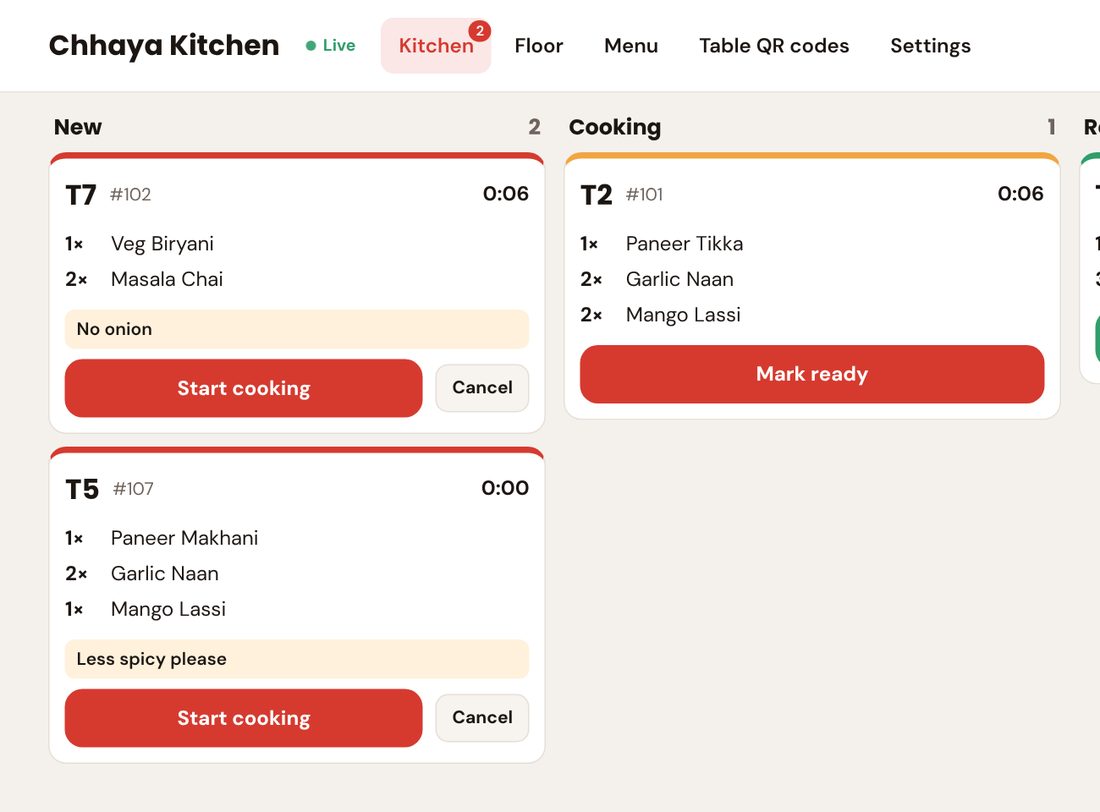
Orders arrive with table number, quantities and notes. Timers turn red when something is running late.
Guests scan the QR on their table, order, call a waiter and split the bill by UPI. Your kitchen sees each order the second it's placed. No app to download, no commission.
Everything opens in the phone's browser after one scan. Drag the ring to spin it, or tap the arrows.
Four friends, one table, no waving at waiters. Scroll through the evening, from the guest's phone to your kitchen.
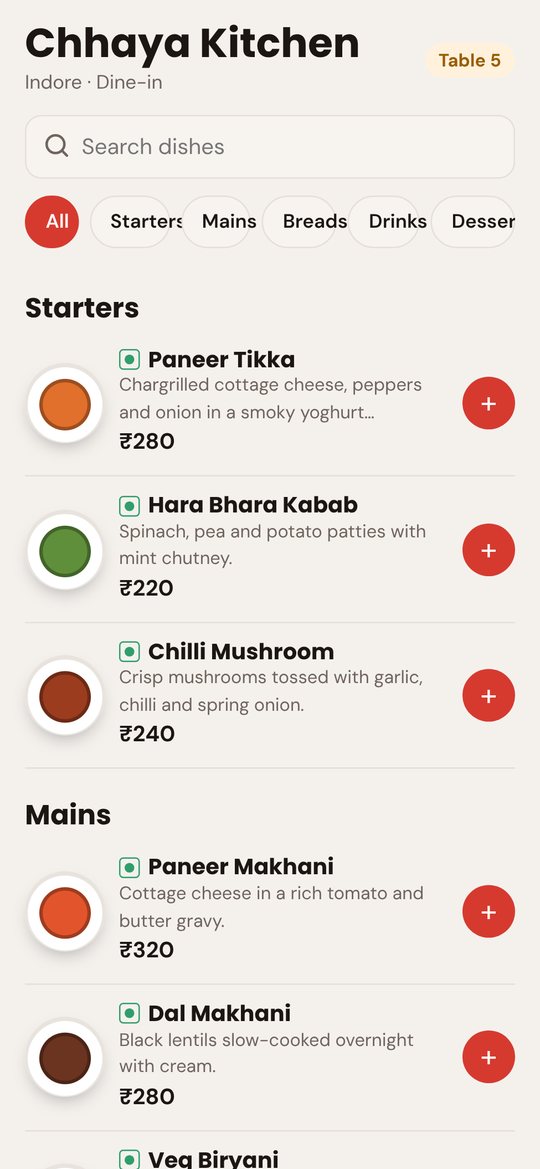
The menu opens in the phone's browser with the table already set. Dish photos, prices, spice level, half or full portions and a veg-only switch.
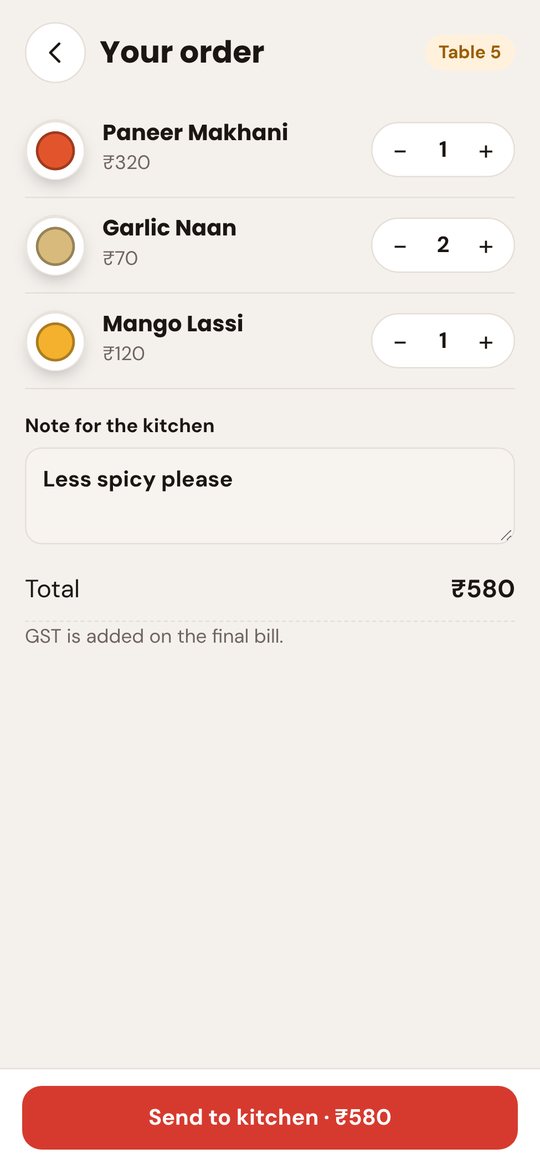
"Less spicy please" goes with the order. Nobody writes on a slip, and nobody mishears.
It beeps, shows the table and the note, and starts a timer. One tap moves it from New to Cooking to Ready.
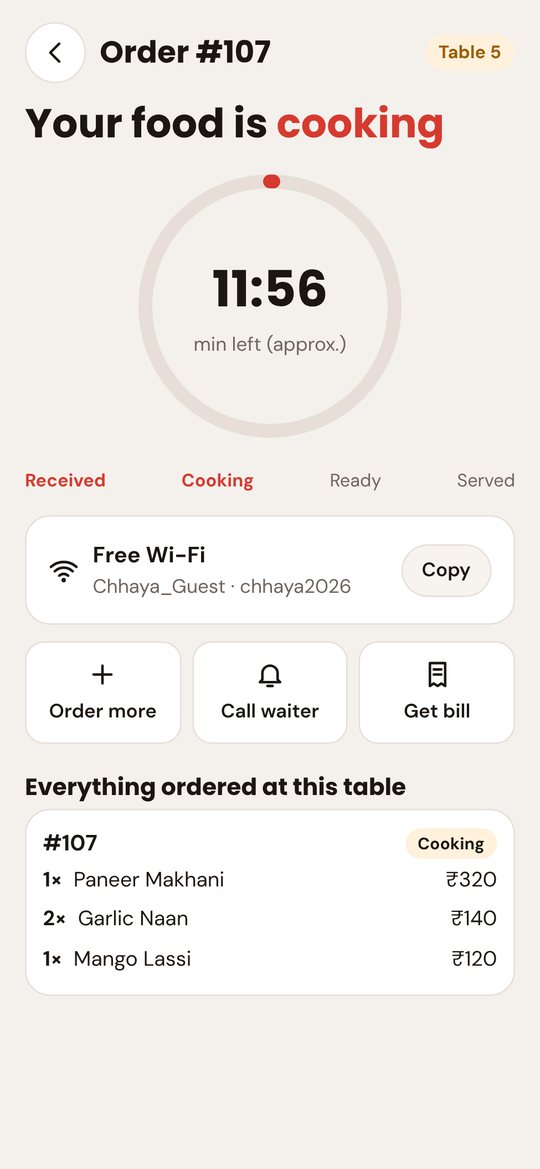
The phone shows a countdown, the Wi-Fi password and everything ordered at the table so far.
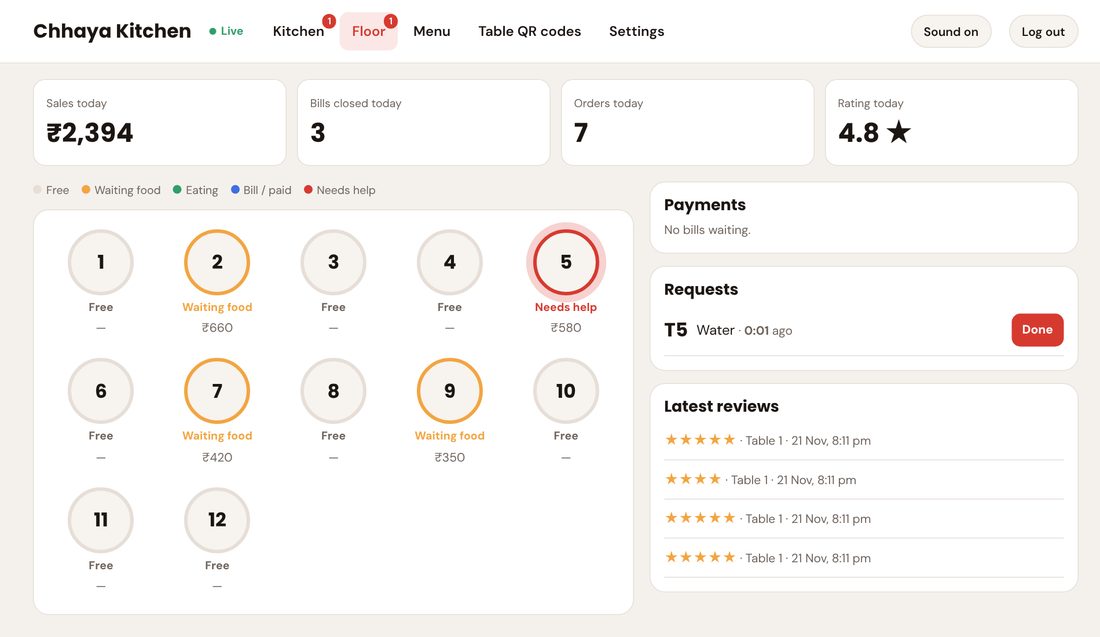
Table 5 flashes on your floor screen with what they need and how long they've waited.
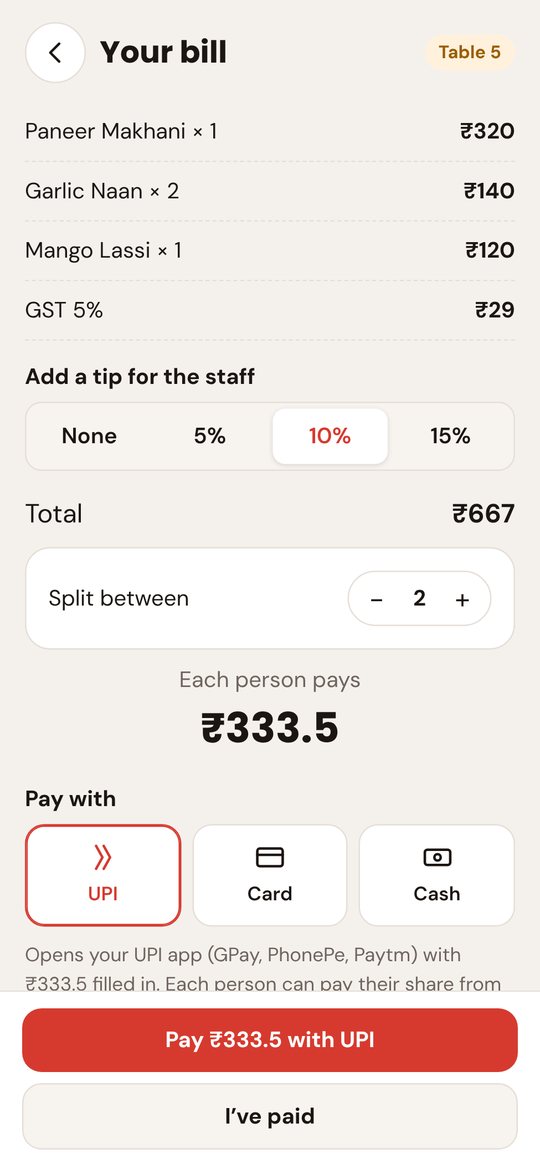
GPay or PhonePe opens with each share filled in. The money goes straight to your account, with no commission.
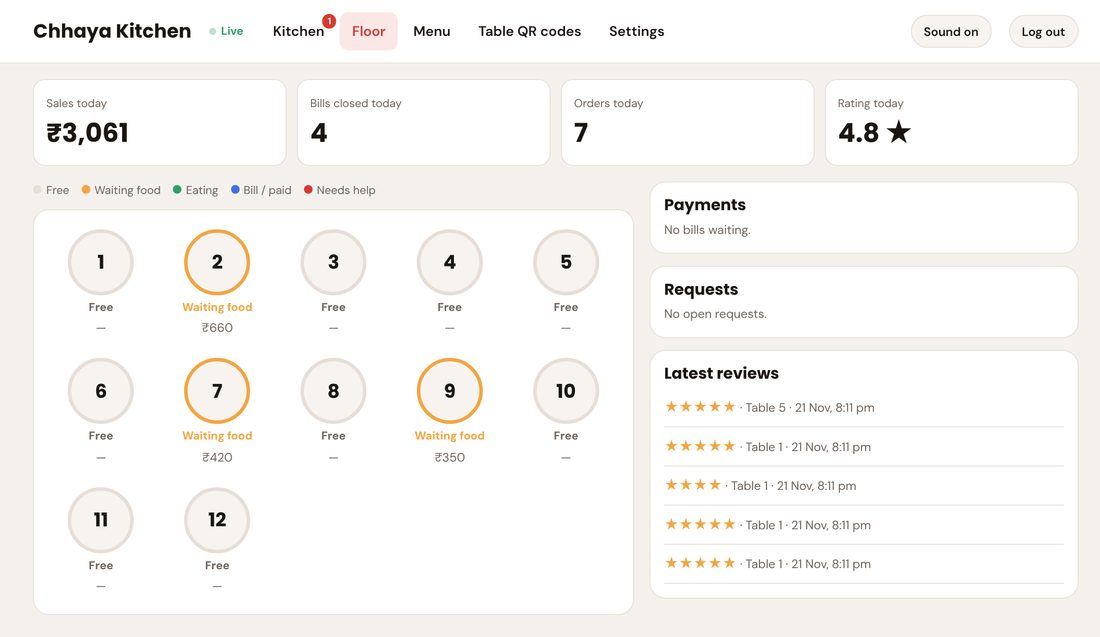
Staff confirm the payment, the table turns free on the map and today's total goes up, split by UPI, card and cash.
Guests on their phones, the kitchen on a tablet or TV, the owner anywhere. All live, all in sync.
Orders arrive with table number, quantities and notes. Timers turn red when something is running late.
Any phone camera opens the menu. Android and iPhone.
Green and red marks on every dish, and a switch that hides all non-veg.
No gateway, no commission. Card and cash still work as usual.
Water, napkins, the bill. Staff see which table and how long they've waited.
Today, this week and this month, split by UPI, card and cash. Print any bill, send it to the guest on WhatsApp, or download the report for your accountant.
This is the real app. Pick a table, place an order on the phone, and move it through the kitchen.
On a phone? Open the demo full screen →
Every plan includes setup, your menu loaded for you, printed table QR codes and staff training. Prices exclude GST.
TableTap is just starting in Mysuru. Be one of our first restaurants and we'll set everything up personally, free for two weeks, and stay on call while your staff get used to it.
No. They point their phone camera at the QR on the table and the menu opens in the browser. It works on Android and iPhone.
Your waiters take their order the usual way. The QR is an extra for guests who want it, not a replacement for your staff.
Any tablet, laptop or smart TV with a web browser. We set it up and train your staff, usually in under an hour.
Guests pay by UPI straight to your account, with no commission. Staff confirm the payment on their screen. Card and cash work exactly as they do today.
Yes. Add dishes, change prices or mark something sold out from the staff screen, and guests see it right away.
No. Staff screens are locked with a PIN. Guests only ever see the menu and their own table.
No. TableTap bills are summaries for guests and your records. Keep using your billing software or GST bill book for official invoices.
Tell us about your restaurant. We'll show you TableTap with your own menu, then set it up free for two weeks.